 PCB & PCBA Manufacturer

What Files Are Required for PCB Assembly
If you want a smooth and error-free pcba service, providing the correct set of files is absolutely critical. Missing or incomplete documentation is one of the most common causes of delays, cost increases, and manufacturing defects in pcba manufacturing.
Whether you are working on a prototype or mass production, this guide explains all the essential files required for smt pcb assembly, what each file does, and how to prepare them correctly for your manufacturer.
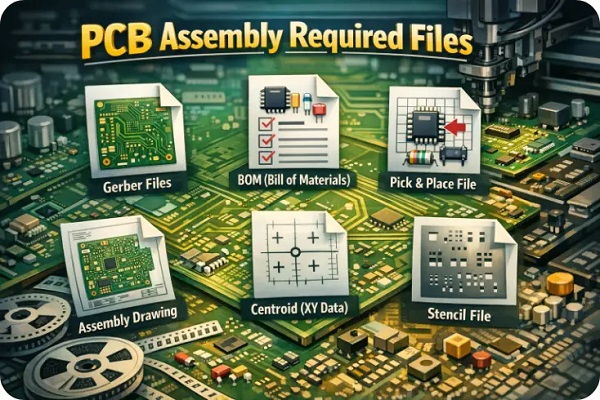
What Files Are Required for PCB Assembly
Why Proper Documentation Matters in PCB Assembly
PCB assembly is a highly precise process that depends on accurate data. Manufacturers rely on your files to:
Understand the PCB structure
Identify and source components
Program SMT machines
Ensure correct placement and orientation
Perform inspection and testing
Incomplete or inconsistent data can lead to:
Assembly errors
Incorrect components used
Production delays
Increased costs
A complete documentation package ensures your pcba service provider can deliver high-quality results efficiently.
Bill of Materials (BOM)
The Bill of Materials is the most important document in pcba manufacturing.
It lists every component required for assembly, including:
Part number (manufacturer and supplier)
Component description
Quantity per board
Reference designators (e.g., R1, C5, U2)
Package type (e.g., 0603, QFN, BGA)
Best practices for BOM:
Use manufacturer part numbers (MPN), not just supplier SKUs
Avoid ambiguous descriptions
Indicate approved alternatives if possible
Keep formatting clean and consistent
A clear BOM helps streamline sourcing and prevents delays in smt pcb assembly.
Gerber Files
Gerber files define the physical design of your PCB and are essential for both fabrication and pcba service.
Typical Gerber layers include:
Copper layers (top and bottom)
Solder mask layers
Silkscreen layers
Drill files (Excellon format)
Board outline
These files tell the manufacturer how to produce the bare PCB before moving into pcba manufacturing.
Always export Gerber files using standard formats such as RS-274X and verify them with a Gerber viewer before submission.
Pick and Place File (Centroid File)
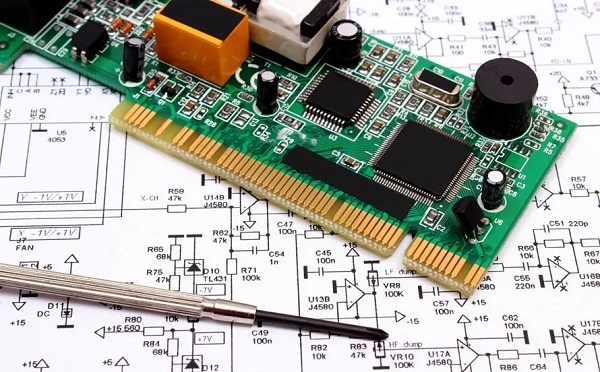
PCB assembly files
The Pick and Place file is crucial for automated smt pcb assembly.
It contains:
Component reference designators
X and Y coordinates
Rotation angles
Layer information (top or bottom)
This file allows pick-and-place machines to accurately position components on the PCB.
Tips:
Ensure coordinate origin matches your Gerber files
Double-check rotation conventions
Clearly define top and bottom sides
Without this file, your pcba service provider may need to manually recreate data, increasing cost and risk.
PCB Assembly Drawing
The assembly drawing provides a visual guide for pcba manufacturing.
It includes:
Component outlines
Reference designators
Polarity markings
Special assembly notes
This drawing is especially important for:
Manual assembly steps
Through-hole components
Quality inspection
A clear assembly drawing reduces misinterpretation during smt pcb assembly.
Schematic Diagram
The schematic is not always mandatory, but it is highly recommended for professional pcba service.
It helps manufacturers:
Understand circuit functionality
Verify BOM accuracy
Troubleshoot issues
In complex pcba manufacturing projects, the schematic can significantly reduce engineering communication time.
Stencil File (Paste Layer)
For smt pcb assembly, the solder paste stencil is critical.
The paste layer (usually included in Gerber files) defines:
Where solder paste is applied
Aperture sizes and shapes
Accurate stencil data ensures:
Proper solder joints
Reduced defects such as bridging or insufficient solder
Many pcba service providers optimize stencil design for better yield, but providing a correct base file is essential.
Test Files and Requirements
Testing is an important part of pcba manufacturing, especially for high-reliability products.
You may need to provide:
ICT (In-Circuit Test) files
FCT (Functional Test) procedures
Test points in design files
Firmware or programming files
Providing test requirements early allows your pcba service partner to prepare fixtures and improve production efficiency.
Firmware and Programming Files
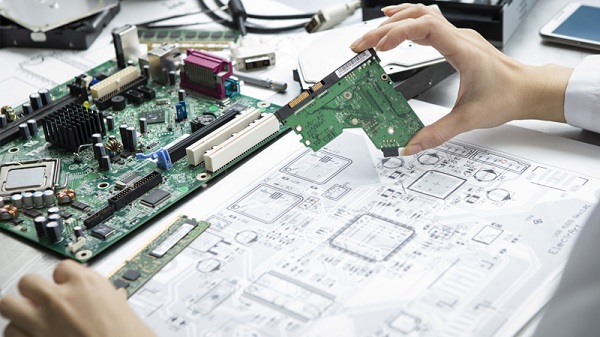
pcba service files
If your PCB includes programmable components (MCUs, EEPROMs, etc.), you must provide:
Firmware files (HEX, BIN, etc.)
Programming instructions
Configuration settings
Some smt pcb assembly providers offer programming services as part of their turnkey solution.
Special Instructions Document
This file includes any additional requirements not covered elsewhere.
Examples:
Assembly priorities
Component substitutions rules
Cleaning requirements
Packaging instructions (ESD, vacuum, labeling)
Clear instructions help your pcba service provider avoid assumptions and ensure your expectations are met.
Optional but Helpful Files
While not always required, these files can improve communication and reduce risk in pcba manufacturing:
3D CAD files (STEP format)
Panelization drawings
Stack-up details
Impedance control requirements
Providing these files is especially useful for complex smt pcb assembly projects.
Common Mistakes to Avoid
Even experienced engineers make mistakes when preparing files for pcba service.
Avoid the following:
Mismatched BOM and Gerber reference designators
Missing polarity or orientation information
Incomplete pick and place data
Using outdated file versions
Not specifying units (mm vs inches)
These issues can lead to delays and additional costs in pcba manufacturing.
How to Prepare a Complete PCB Assembly Package
To ensure a smooth smt pcb assembly process, your package should include:
BOM (Excel or CSV format)
Gerber files (RS-274X)
Drill files
Pick and Place file
Assembly drawing
Schematic (recommended)
Test and firmware files (if applicable)
Special instructions
Before sending, always:
Run a design rule check (DRC)
Verify files with a viewer
Confirm all versions are up to date
Conclusion
Providing the correct files is the foundation of a successful pcba service. A complete and accurate documentation package ensures efficient pcba manufacturing, reduces errors, and speeds up production.
As PCB designs become more complex in 2026, clear communication between engineers and manufacturers is more important than ever. By preparing your files properly, you can achieve faster turnaround, lower costs, and higher product quality in your smt pcb assembly projects.